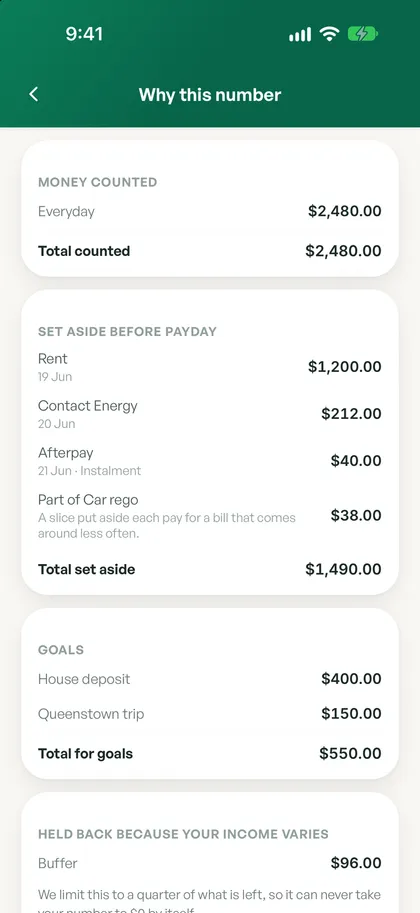
Safe to spend today
The one number that matters, worked out from your pay, bills and goals, with what’s left until payday and your next bill right underneath. Tap it to see exactly how it adds up, and how to fix it if something looks off.
Spendle handles the everyday money stuff with calm clarity, then goes further when life gets bigger. No spreadsheets, no shame, no jargon.
The everyday essentials are free, forever. Premium tools go further when you need them.
The calm basics that help you feel in control, day to day. Free on the Free plan, no credit card needed.
The one number that matters, worked out from your pay, bills and goals, with what’s left until payday and your next bill right underneath. Tap it to see exactly how it adds up, and how to fix it if something looks off.
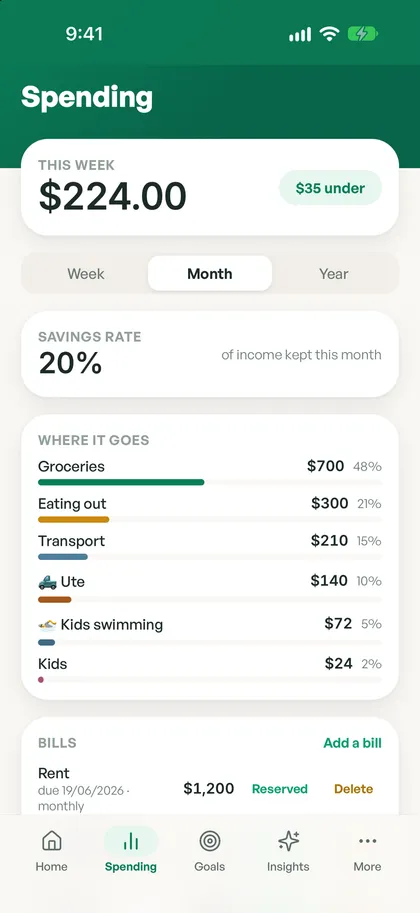
Spending sorts itself into clear categories as it lands. See how your week is tracking on the Free plan, with month and year views on Plus.
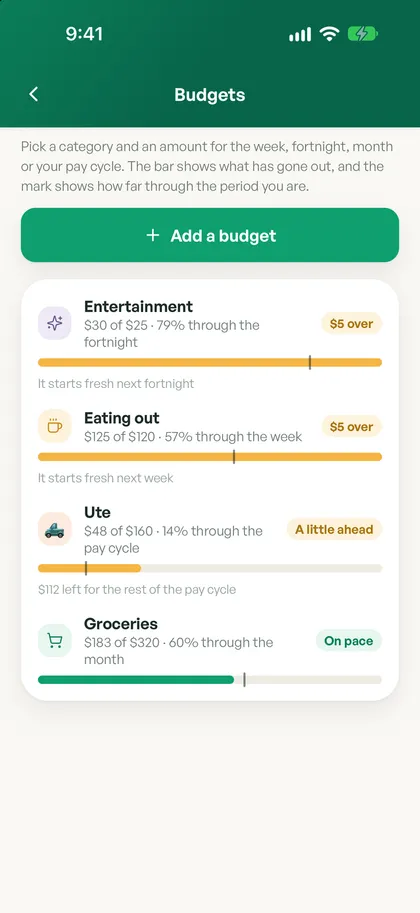
Make categories that fit your life, then set budgets by week, fortnight, month or pay cycle. Spendle shows how you’re tracking as you go.
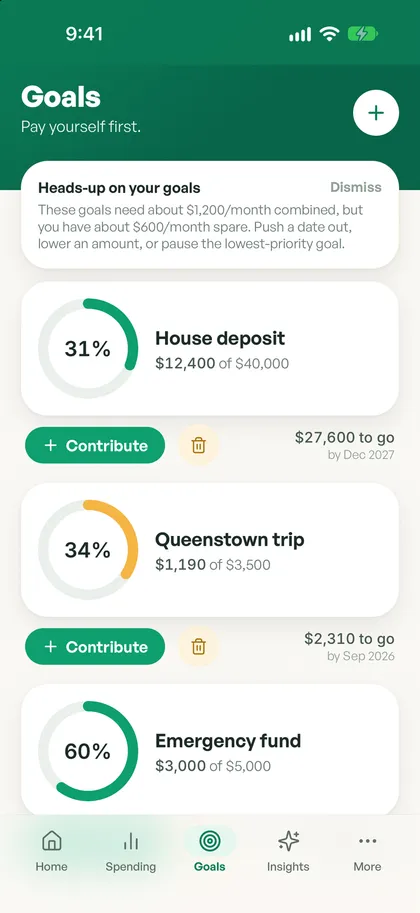
A house deposit, a Queenstown trip, a rainy-day buffer. Set a goal, add to it when it suits, and watch it move towards fully funded.
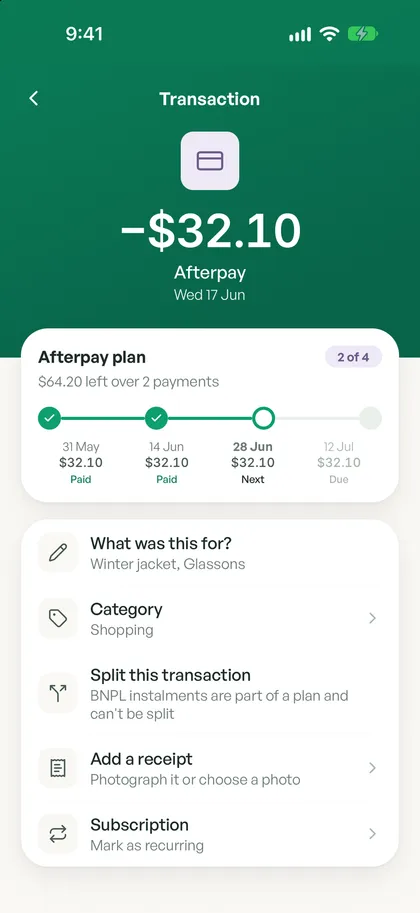
Spendle shows which payment you’re up to on each Afterpay or Laybuy plan and holds back only what’s still to come, so an upcoming payment never quietly catches you out.
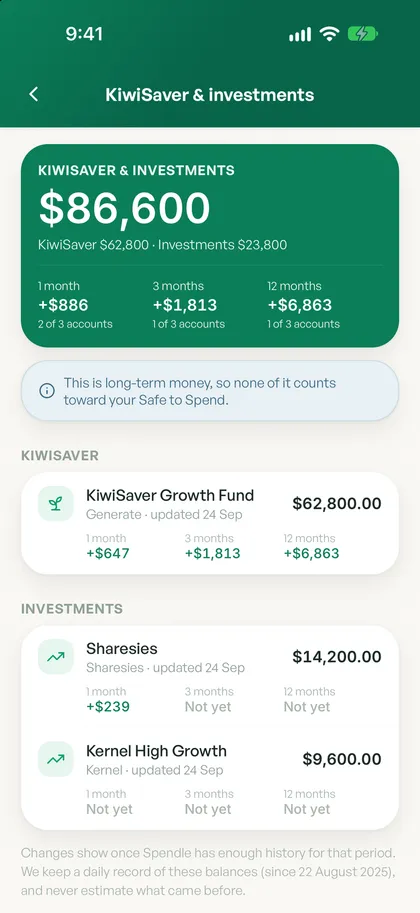
See your KiwiSaver and investment balances, how they’re moving, and this year’s voluntary top-ups, kept separate from your everyday number.
Sort anything uncategorised in a few taps. Choose Always do this and Spendle remembers next time. You can even import a statement from a bank you haven’t connected.
A calm weekly summary on every plan, and a home screen widget that shows your safe-to-spend, with amounts hidden while app lock is on.
Mark a payee as a friend and link their pay-back to what you spent, so shared costs don’t skew your picture.
The grown-up tools for mortgages, tax, investing and retirement, made just as calm as the rest of Spendle.
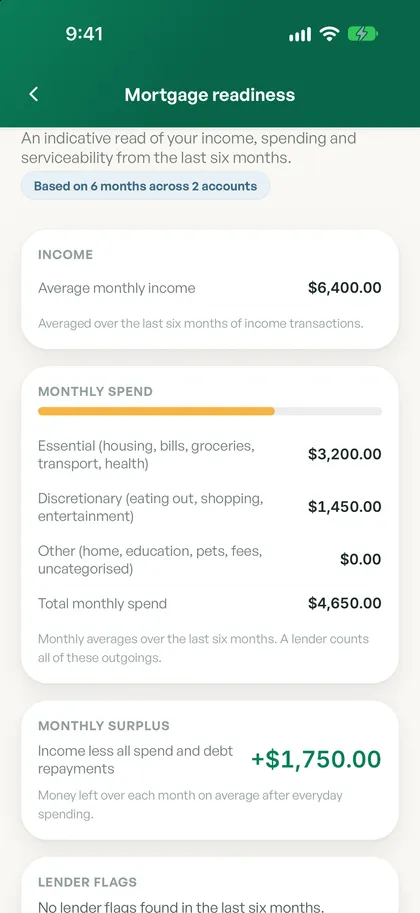
See where you stand and share a tidy summary with your broker when you are ready.
A gentle nudge when it could pay to refix or refinance, with the numbers laid out clearly.
Compare cash versus finance for a car or other big buy, and see the real cost over time.
Spendle sets money aside for tax as you earn and assembles a tidy IR3 and GST pack.
Track each rental’s cashflow through the year and keep a clean tax pack ready to go.
A calm “will my money last” view that brings your savings and KiwiSaver together.
Model the income dip through parental leave, size the buffer you will need, and see your cashflow across the whole period.
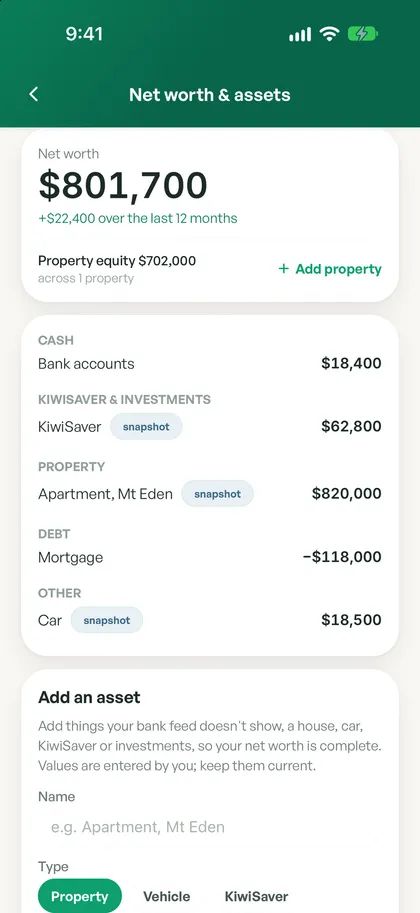
Bring your bank accounts, KiwiSaver, investments, property and debts together, and see how your net worth has moved over the year.
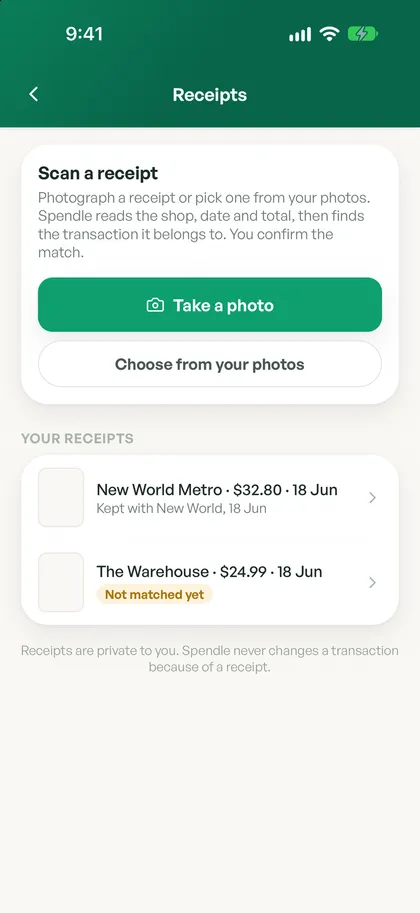
Photograph a receipt or pick one from your photos. Spendle reads the shop, date and total, and matches it to the right transaction for you to confirm.
Send a secure, read-only link of your net worth, assets or tax pack to your broker, adviser or accountant. Revoke it any time.
Keep a private spreadsheet up to date automatically. Point Google Sheets or Excel at your own secure feed and your transactions stay current, no manual exports. Rotate the link any time.
Keep your donation receipts together so claiming your tax credit is simple at year end.
Look up to six months ahead, see tidy reports, and export your transactions as CSV, Excel or PDF. Pro stretches the forecast out to two years.
Gentle heads-ups when a bill creeps up, a subscription is worth a look, or a bill could take an account below the safety amount you set.
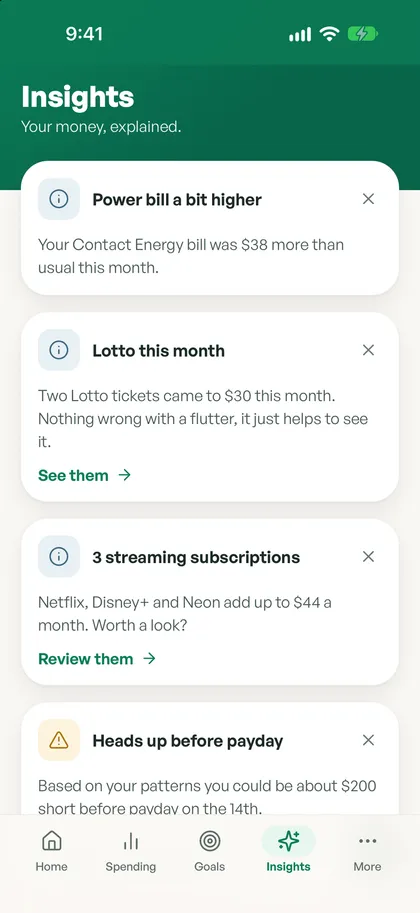
Find subscriptions you have forgotten and get a hand cancelling the ones you do not use.
Bring your household into one calm view, with a shared safe-to-spend. Each of you connects shared accounts from your own login.
Ask in plain language, from “how much did I spend on eating out?” to “can I afford a weekend away?”, and get a calm answer grounded in your real numbers. 20 questions a month on Plus, unlimited on Pro.
Start free, then add Plus, Pro or Family when you want more. Cancel any time, no lock-in. See exactly what each plan includes.
Spendle is on iPhone, Android and the web. Start free, then unlock every feature with Plus or Pro.